
Comparison of Popular SEO Tools
Choosing the right SEO tool can significantly impact your website’s optimization efforts. Below is a comparison of some of the most popular SEO tools, highlighting their key features and best use cases.
This table provides a clear overview of various SEO tools, their primary features, and the best scenarios for their use. Selecting the right tool based on your specific needs can enhance your SEO strategy and improve your website’s performance in search rankings.
Top 5 Essential SEO Tips for Improving Website Visibility
Enhancing your website’s search engine optimization (SEO) is crucial for increasing visibility and attracting more visitors. Here are five essential tips that can help you optimize your site effectively.
- Conduct Keyword Research – Identify relevant keywords and phrases that your target audience is searching for to optimize your content accordingly.
- Optimize On-Page Elements – Ensure that title tags, meta descriptions, and headers are keyword-rich and accurately describe the content to improve search rankings.
- Improve Website Loading Speed – Fast-loading pages enhance user experience and are favored by search engines, leading to better rankings and lower bounce rates.
- Build Quality Backlinks – Acquire links from reputable sites to boost your domain authority and improve your site’s credibility in the eyes of search engines.
- Utilize Mobile Optimization – Ensure your webs
ite is mobile-friendly, as a significant portion of users access the web via mobile devices, impacting your search rankings.
How to Improve Website Loading Speed: A Practical Guide for Faster Page Loads
In today’s fast-paced digital world, every second counts—especially when it comes to your website’s loading speed. Imagine your visitors’ frustration when they wait endlessly for pages to load, or worse, click away before your content even appears. Website loading speed isn’t just a technical detail; it’s the heart of user experience and a powerful driver of business success. From boosting user satisfaction and conversions to enhancing your site’s search visibility, fast-loading pages are a must-have.
This comprehensive guide dives deep into the core factors that impact page load time and reveals how Google’s Core Web Vitals translate into real human experiences online. You’ll discover a targeted, prioritized roadmap of performance fixes—from quick wins like image optimization and smart caching to advanced platform upgrades including HTTP/2, HTTP/3, and Service Workers. We’ll also show you how to measure and monitor your progress with industry-leading tools like Google PageSpeed Insights and Lighthouse.
Structured into six focused sections, this article arms you with practical techniques, hands-on code patterns, and clear comparison tables to help you select optimal formats, caching strategies, and monitoring solutions. Whether you’re a developer, site owner, or digital marketer, expect actionable insights that will speed up your website and keep your visitors coming back.
The importance of website loading speed extends beyond technical metrics, profoundly influencing user satisfaction and overall website performance, as highlighted by research into online speed tests.
Website Loading Speed, User Experience & Speed Tests
Loading speed of websites reflects the website´s performance and has a significant influence on user experience and satisfaction. In this paper we analyze causes and consequences of slow loading of websites, followed by recommendations and comments on usual practice and feasibility. In the next part of the article we discuss a choice of the right online speed test in order to achieve an optimized performance of websites. Selected free online services are analyzed, with a focus on available functions and settings.
Loading speed of modern websites and reliability of online speed test services, O Krejcar, 2015
What is Website Loading Speed and Core Web Vitals?
Website loading speed is the combination of metrics that describe when content appears and when a page becomes usable; it matters because faster pages keep users and improve conversions. The mechanics include server-side responsiveness (Time to First Byte (TTFB)), resource delivery, and the browser’s rendering pipeline that produces metrics such as First Contentful Paint (FCP) and Speed Index (SI). Core Web Vitals focus on three user-centric signals — Largest Contentful Paint, Interaction to Next Paint (INP), and Cumulative Layout Shift — which together help quantify perceived load speed and interaction quality. Measuring these metrics with lab and field tools highlights bottlenecks like render-blocking resources and slow server response, and it shows where targeted fixes will reduce Total Blocking Time (TBT) and lower Page Load Time overall. Understanding these definitions sets us up for the next section where we explain how LCP, CLS, and INP map to user experience and diagnostics.
How LCP, CLS, and INP define user experience
Largest Contentful Paint (LCP) measures how long it takes for the main visible element to render, and a slow LCP often results from oversized images, slow TTFB, or heavyweight fonts. Cumulative Layout Shift (CLS) captures unexpected visual shifts caused by late-loading ads, dynamic content, or missing size attributes, and it directly harms perceived stability. INP measures the responsiveness of the page during interactions, replacing older metrics like First Input Delay (FID) to better reflect real user interactions and long tasks that inflate Total Blocking Time. Quick diagnostics include running Google PageSpeed Insights and Lighthouse to capture both field and lab signals, checking the waterfall for long server times, and auditing images and third-party scripts for large blocking scripts. These checks lead naturally to prioritizing the biggest wins — images, caching, and server performance — which deliver the fastest measurable improvements.
Understanding LCP’s role in user satisfaction reveals that users are primarily waiting for the most meaningful content to appear, not just any content.
Largest Contentful Paint & User Satisfaction
Visitors are not waiting for just any content to load on the webpage. The browser may quickly load and paint the webpage’s supplementary content, such as the website’s header navigation, but this content will not satisfy visitors. If visitors are loading a product page on an ecommerce website, they want to see information about that product. If visitors are loading an article on a news website, they want to read that article’s text. If visitors have come to a page to complete a form, then visitors want to interact with that form. In short, visitors are waiting for the webpage’s main content to load. The faster the browser paints the webpage’s main content, the more satisfying the visitor experience. Typically, the webpage’s main content will also be the webpage’s largest content. Largest contentful paint, 2019
Why Core Web Vitals matter for rankings and conversions

Core Web Vitals are important because they connect technical performance to user behavior and business outcomes, and search engines treat them as an SEO Ranking Factor. Empirical findings show that 47 percent of people expect a web page to load in 2 seconds or less, and 40 percent will abandon a page if it takes more than 3 seconds to load, demonstrating clear user sensitivity to speed. Conversion-focused measurements illustrate that conversion rates can increase by up to 74 percent when page load time improves from 8 to 2 seconds, and sites that pass Core Web Vitals often see lower abandonment: websites passing Core Web Vitals see around a 24 percent lower abandonment rate. Given these impacts, prioritize fixes that improve LCP, reduce CLS, and lower INP to both improve user experience and protect organic visibility. With measurement in place, the next section outlines which techniques deliver the biggest speed gains and how to sequence them.
Which Techniques Deliver the Biggest Speed Gains?
Not all optimizations are equal: image optimization, caching, and server performance typically yield the fastest returns and should be addressed first. Large, unoptimized images inflate payloads and hurt Largest Contentful Paint; implementing modern formats and responsive delivery reduces bytes on the wire. Browser caching, server-side caching, and CDNs cut repeat-visit costs and reduce Time to First Byte (TTFB) by serving cached responses closer to users, while addressing render-blocking resources and removing unnecessary third-party scripts reduces Total Blocking Time and improves INP. Advanced delivery options such as HTTP/2 and HTTP/3 bring multiplexing and lower latency; Service Workers and PWA patterns provide offline and cache-first strategies that help repeat visits dramatically. Start with quick wins—image compression and setting caching headers—then move to hosting and protocol upgrades as platform-level improvements that sustain speed gains.
Caching types and their effects:
This comparison shows how layering browser caching, a CDN, and server-side caching yields compound improvements: faster repeat visits, lower origin load, and improved TTFB that drives better LCP and Page Load Time. Next, we drill into how to prioritize images, caching, and server performance with practical settings.
Prioritizing image optimization, caching, and server performance
Images are often the largest portion of page weight, so converting to efficient formats and sizing responsively produces big savings without perceptible quality loss. Image Optimization combined with CDNs and proper cache headers accelerates both first and repeat views, while page caching and server-side caching reduce the server work required to deliver HTML and assets. Reducing Time to First Byte (TTFB) can be achieved by optimizing server configuration, using faster storage, and minimizing backend processing on the critical path to improve Server Response Time. Start by auditing the largest requests with a waterfall view, then apply compression, caching, and CDN rules in that order to gain immediate improvements that compound with later code-level optimizations.
When to apply modern delivery advances like HTTP/2/3 and service workers
HTTP/2 and HTTP/3 are most valuable for sites with many small requests or global audiences because multiplexing and header compression reduce latency and improve throughput; implement them when your hosting and CDN support these protocols. Service Workers and PWA caching strategies are ideal when your site benefits from cached pages or offline capabilities; they require careful cache invalidation rules to avoid stale content while providing instant repeat loads. Server-Side Rendering complements these approaches by delivering usable HTML faster to the client, improving initial rendering metrics such as First Contentful Paint (FCP) and LCP. Consider compatibility and rollout complexity: test HTTP/2/3 and Service Workers in staging and monitor metrics during deployment, especially as emerging strategies in 2025-2026 shift platform expectations.
How to Optimize Images and Media for Speed?
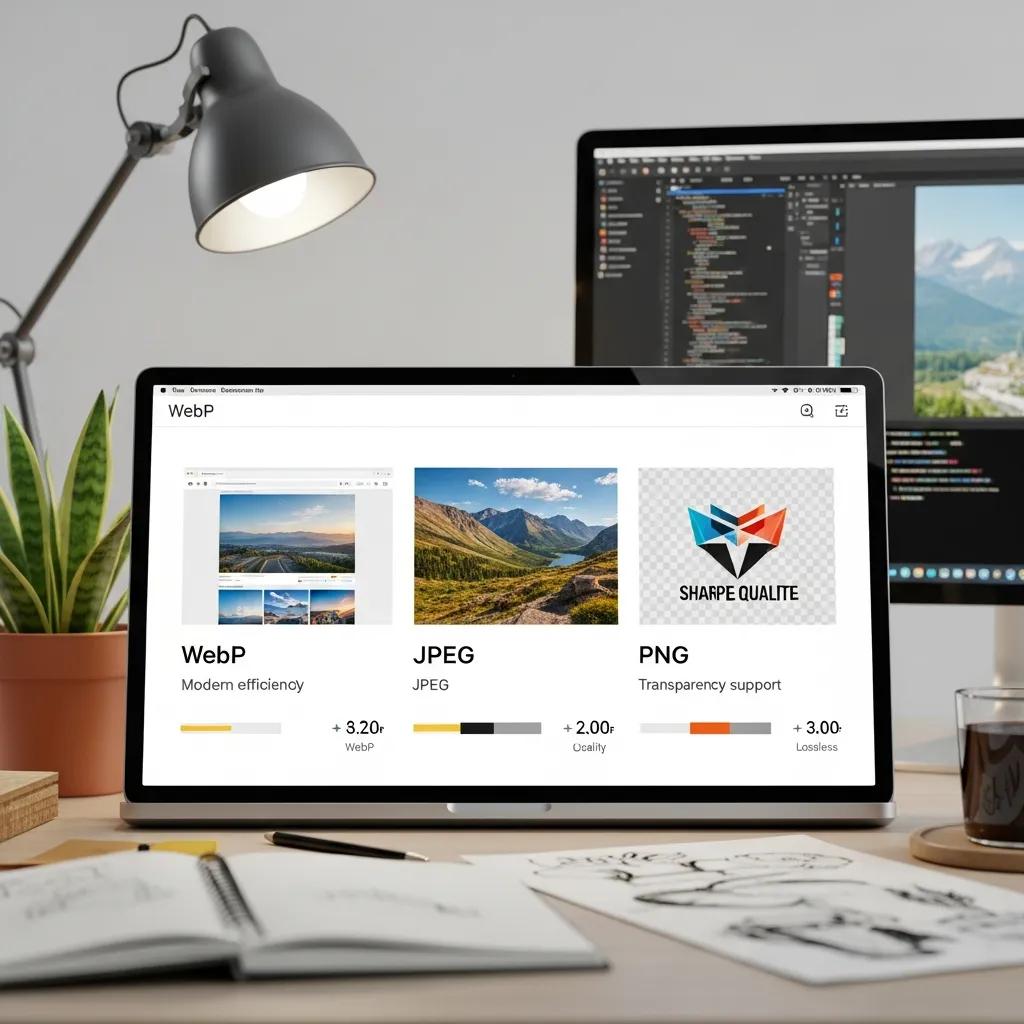
Optimizing images and media reduces bytes, improves Largest Contentful Paint, and lowers Page Load Time across devices by using the right formats and compression. Adopting modern formats like WebP where supported, serving responsive images via srcset and sizes, and implementing lazy loading for offscreen assets save bandwidth and prioritize the hero content that determines LCP. Image Compression and WebP image optimization paired with correct sizing and progressive enhancement keeps visual quality high while delivering smaller files. Begin with format conversion, then apply appropriate quality settings and responsive markup; these steps make the most immediate impact on perceived load speed and set the stage for code-level render optimizations covered later.
The strategic optimization of images, particularly for mobile devices, is crucial for enhancing overall website performance and user experience.
Image Optimization for Mobile Performance
Often websites are facing difficulties at providing the right images for the user, one the one hand those images are often not compressed which is a waste of bandwidth and performance. On the other hand since there are many different devices on the market the image needs to be available in different resolutions to be fitting on each of them.
On mobile devices a lower resolution increases the performance drastically while on the desktop if the resolution is too low Improving mobile and worldwide performance through image optimization and distributed content delivery, J Renz, 2018
Image format comparison to guide format and compression choices:
This table highlights why WebP is often the best choice for photographic content due to its file size reductions, while JPEG remains useful for compatibility and PNG for transparent graphics. With formats chosen, apply lazy loading and responsive markup to further reduce initial load costs.
- Use modern formats: Convert suitable images to WebP to reduce file sizes while maintaining quality.
- Serve responsive images: Implement srcset and sizes to send the right resolution for each device.
- Apply lazy loading: Use built-in browser lazy loading to defer offscreen images and reduce initial payload.
These steps reduce the bytes impacting Largest Contentful Paint and make other optimizations like minification more effective.
What image formats and compression strategies save the most bandwidth
WebP typically provides superior compression for photographic content compared with JPEG and PNG, with WebP image optimization often delivering the largest file-size reductions. Use Image Compression tools to balance quality and size—start with quality settings that retain acceptable visual fidelity and measure before/after sizes to quantify savings. For compatibility, fall back to JPEG or PNG where necessary but prefer WebP when browser support allows, and use responsive images to avoid serving oversized assets. These format choices reduce payloads and improve LCP, helping pages reach the fast thresholds users expect and search engines reward.
How to implement lazy loading and responsive images
Use the loading=”lazy” attribute on <img> tags for native, low-effort lazy loading that defers offscreen images without JavaScript. Implement srcset and sizes to provide multiple image candidates and let the browser choose the best resolution for the viewport, reducing wasted bytes on small devices. For older browsers, include lightweight JavaScript polyfills that replicate lazy loading behavior and ensure accessible fallbacks so images still load when needed. Combining loading=”lazy” attribute on <img> tags with srcset and sizes provides a robust, progressive-enhancement approach that improves LCP and overall Page Load Time.
How to Streamline Code and Resources to Speed Up Rendering?
Reducing render-blocking resources and minimizing payloads accelerates initial rendering and lowers Total Blocking Time, directly improving INP and FCP. Techniques include extracting critical CSS to inline the minimum styles required for above-the-fold content, deferring or async-loading non-critical JavaScript to avoid blocking the parser, and minifying CSS/JavaScript/HTML to cut bytes. Use build tools like Webpack and Gulp to automate bundling, tree-shaking, and minification, and apply server-side compression such as Gzip or Brotli to deliver compressed assets over the network. After these changes, audit the page to reduce HTTP requests and remove unused code and third-party scripts that prolong render time.
- Extract and inline critical CSS to prevent render-blocking.
- Use defer and async attributes for scripts to eliminate blocking behavior.
- Minify CSS/JavaScript/HTML and enable Gzip or Brotli on the server.
These steps directly reduce the critical rendering path length and prepare the page for further performance tuning covered in the next subsections.
How to defer non-critical JavaScript and load CSS asynchronously
Use the defer attribute on script tags to ensure scripts execute after parsing, and use async for independently loadable scripts that don’t rely on DOM order; these attributes help defer non-critical JavaScript and prevent main-thread blocking. For CSS, extract critical CSS to inline into the head and use rel=preload for non-critical stylesheets, then swap rel to stylesheet after load to load CSS asynchronously. Build tools such as Webpack and Gulp can automate critical CSS extraction and script splitting so these patterns are reproducible in CI/CD. Applying defer non-critical JavaScript and load CSS asynchronously reduces Total Blocking Time and produces faster First Contentful Paint and LCP.
How to minify CSS/JavaScript/HTML and reduce HTTP requests
Minify CSS/JavaScript/HTML to shrink payloads and reduce parsing time; use build-step plugins in Webpack or tasks in Gulp to automate this across environments. Reduce HTTP requests by combining small assets where appropriate, removing unused CSS/JavaScript discovered in audits, and preferring HTTP/2-aware strategies that avoid aggressive concatenation if multiplexing is available. Server modules like mod_pagespeed for Apache can apply on-the-fly optimizations, but build-time minification is more predictable and testable. Minifying and consolidating resources while auditing third-party scripts yields consistent Page Load Time and INP improvements.
How to Measure, Monitor, and Maintain Performance?
Measurement is essential: choose tools that provide both lab and field insights, set KPIs for Core Web Vitals Scores and Page Load Time, and establish a monitoring cadence for ongoing performance health. Regular checks should include synthetic tests with Lighthouse and WebPageTest to understand the waterfall and lab metrics, and field data from Google PageSpeed Insights and Google Search Console to track real-user Core Web Vitals. Track LCP, INP, and CLS over time and watch Time to First Byte (TTFB) as an early indicator of server-side regressions. With a reporting plan, you can correlate changes in Page Load Time to conversion and retention metrics to prioritize future fixes.
Compare monitoring tools and their best uses:
This table clarifies when to run each tool: PageSpeed Insights for field signals, GTmetrix for waterfall troubleshooting, and Lighthouse for actionable code-level recommendations. With tools selected, define a monitoring cadence and alerting plan to detect regressions early.
A practical monitoring cadence looks like this:
- At a minimum, review performance monthly to catch slow trends.
- Weekly check for active sites or after deployments to detect regressions quickly.
- Major Content Audit – Annually to refactor large templates or redesigns.
- Minor Updates – Quarterly to keep assets and dependencies current.
- Performance-Driven Updates – Immediately upon detection of critical regressions.
What tools should you use to test and monitor Core Web Vitals?
Use Google PageSpeed Insights for aggregated field data and a Lighthouse lab snapshot, GTmetrix when you need a waterfall breakdown and third-party metrics, and WebPageTest for granular request-level timing and advanced testing configurations. Lighthouse is ideal for developer-focused audits that produce actionable suggestions for code-level changes, while Google Search Console surfaces real-user Core Web Vitals issues across your site’s pages. Combining Google PageSpeed Insights, GTmetrix, Lighthouse, WebPageTest, and Google Search Console gives both lab and field perspectives to validate fixes and monitor long-term trends.
How to establish an ongoing performance monitoring plan
Establish KPIs for LCP, INP, CLS, and Time to First Byte (TTFB), then instrument monitoring and reporting that highlights regressions and tracks improvements over time. At a minimum, review performance monthly and run a weekly check for high-traffic or rapidly changing sites; plan a Major Content Audit – Annually and schedule Minor Updates – Quarterly to keep assets and scripts lean. Use synthetic tests after each deployment and set alerts for sudden increases in Page Load Time or drops in Core Web Vitals Scores so Performance-Driven Updates – Immediately follow incidents. Given the evolving landscape in 2025-2026 and the current date 4/2026, maintain a close loop between measurement and remediation to preserve both user experience and search performance.
Frequently Asked Questions
1. How does website loading speed affect SEO?
Website loading speed is a critical factor in search engine optimization (SEO) because search engines like Google consider it when ranking pages. Faster-loading websites tend to provide a better user experience, which can lead to lower bounce rates and higher engagement. As a result, sites that load quickly are more likely to rank higher in search results. Additionally, Google has explicitly stated that page speed is a ranking factor, making it essential for website owners to prioritize speed optimization to improve their visibility online.
2. What are some common tools for measuring website speed?
Several tools can help you measure website speed effectively. Google PageSpeed Insights provides insights into both field and lab data, highlighting areas for improvement. GTmetrix offers a detailed waterfall analysis, allowing you to see how different elements of your site contribute to loading times. WebPageTest is another powerful tool that provides granular request-level timing and advanced testing configurations. Using a combination of these tools can give you a comprehensive view of your website’s performance and help you identify specific areas for optimization.
3. What role does image optimization play in website speed?
Image optimization is crucial for improving website loading speed, as images often account for a significant portion of a webpage’s total weight. By using modern formats like WebP, compressing images, and implementing responsive images, you can significantly reduce file sizes without sacrificing quality. This not only enhances the Largest Contentful Paint (LCP) metric but also improves overall user experience. Additionally, lazy loading images can further decrease initial load times by deferring the loading of offscreen images until they are needed.
4. How can caching improve website loading speed?
Caching improves website loading speed by storing copies of files or data so that they can be accessed quickly without needing to be fetched from the server each time. Browser caching, server-side caching, and Content Delivery Networks (CDNs) all play a role in reducing load times. By serving cached content closer to users, you can significantly decrease Time to First Byte (TTFB) and enhance the overall performance of your site. Implementing effective caching strategies is one of the quickest ways to achieve noticeable speed improvements.
5. What are the best practices for minimizing render-blocking resources?
Minimizing render-blocking resources is essential for speeding up the initial rendering of a webpage. Best practices include inlining critical CSS to ensure that essential styles are loaded first, deferring non-critical JavaScript, and using the async attribute for scripts that do not rely on DOM order. Additionally, minifying CSS and JavaScript files can reduce their size, further speeding up loading times. By implementing these strategies, you can significantly improve metrics like First Contentful Paint (FCP) and overall user experience.
6. How often should I monitor my website’s performance?
Regular monitoring of your website’s performance is vital to maintaining optimal loading speeds. At a minimum, you should review performance metrics monthly to catch any slow trends. For high-traffic sites or after significant updates, weekly checks are advisable to quickly identify regressions. Conducting a major content audit annually and minor updates quarterly can help keep your site lean and efficient. Establishing a consistent monitoring cadence ensures that you can respond promptly to any performance issues that arise.
7. What impact does server performance have on loading speed?
Server performance plays a crucial role in website loading speed, as it directly affects Time to First Byte (TTFB) and overall response times. Factors such as server configuration, the speed of storage solutions, and backend processing efficiency can significantly influence how quickly a server can deliver content to users. Optimizing server settings, using faster storage options, and minimizing backend processing on the critical path can lead to substantial improvements in loading times, enhancing user experience and potentially boosting conversion rates.
Conclusion
Improving website loading speed is essential for enhancing user experience and boosting conversion rates. By implementing strategies such as image optimization, caching, and server performance enhancements, you can significantly reduce loading times and improve Core Web Vitals scores. These optimizations not only satisfy user expectations but also positively impact your site’s search engine rankings. Start optimizing your website today to ensure a faster, more efficient online presence that keeps visitors engaged.