
Deep Dive into Web Testing: Types, Tools, Best Practices, and Future Trends
Web testing is a methodical process of verifying that a web application meets its functional, performance, security, compatibility, and usability requirements before and after launch. This guide delves into why thorough web application testing is vital for user experience, business continuity, and adherence to regulatory or security standards. We’ll explore practical strategies teams can implement throughout their development lifecycle. You’ll learn about core testing types and when to apply them, the most effective automation frameworks and supporting tools for specific purposes, how to build robust test plans and execution strategies, and emerging trends shaping testing through 2025. This resource combines foundational concepts with actionable templates, checklists, and comparisons, empowering engineers, QA leads, and product owners to prioritize tests accurately. Following our overview of testing types and tooling, we’ll cover automation strategies, essential best practices, and then explore AI, shift-left methodologies, and real-world use cases to help your team plan improvements and measure their impact.
What are the Core Types of Web Testing?
Web testing encompasses a variety of focused activities designed to verify specific quality aspects of web applications. The choice of testing type depends on your testing goals and application architecture. Broadly, these types include functional testing to confirm user flows, performance and load testing to assess responsiveness and throughput, security testing to identify vulnerabilities, usability testing to evaluate task success, compatibility testing (across browsers and devices), API testing for backend accuracy, and regression testing to prevent unintended side effects from changes. Each testing type answers a distinct question about the application and employs unique tools or methods to yield actionable results. Below is a quick list outlining when to use each type, with a brief definition, ideal for quick reference and checklists.
Web Testing Types and Their Brief Definitions:
- Functional Testing: Confirms that features, forms, and user workflows operate precisely as required and meet acceptance criteria.
- Performance Testing: Evaluates response times, throughput, and resource utilization under both normal and peak loads.
- Security Testing: Identifies vulnerabilities, misconfigurations, and potential entry points that could compromise data or system integrity.
- Usability Testing: Involves observing real users performing tasks to assess learnability, efficiency, and overall user satisfaction with the application.
- Compatibility Testing (Cross-Browser/Cross-Device): Ensures the application functions consistently across different browsers, their versions, and various device types.
- API Testing: Verifies that backend services and endpoints provide correct data, adhere to schemas, and handle errors gracefully.
- Regression Testing: Reruns existing tests to confirm that recent code changes have not introduced new defects.
These categories provide a practical framework for test planning. Choosing the right mix helps mitigate risks while optimizing testing efforts for your release schedule. Understanding these types directly influences your tool selection and integration with CI/CD pipelines, which we’ll explore next.
How Does Functional Testing Ensure Web Application Quality?
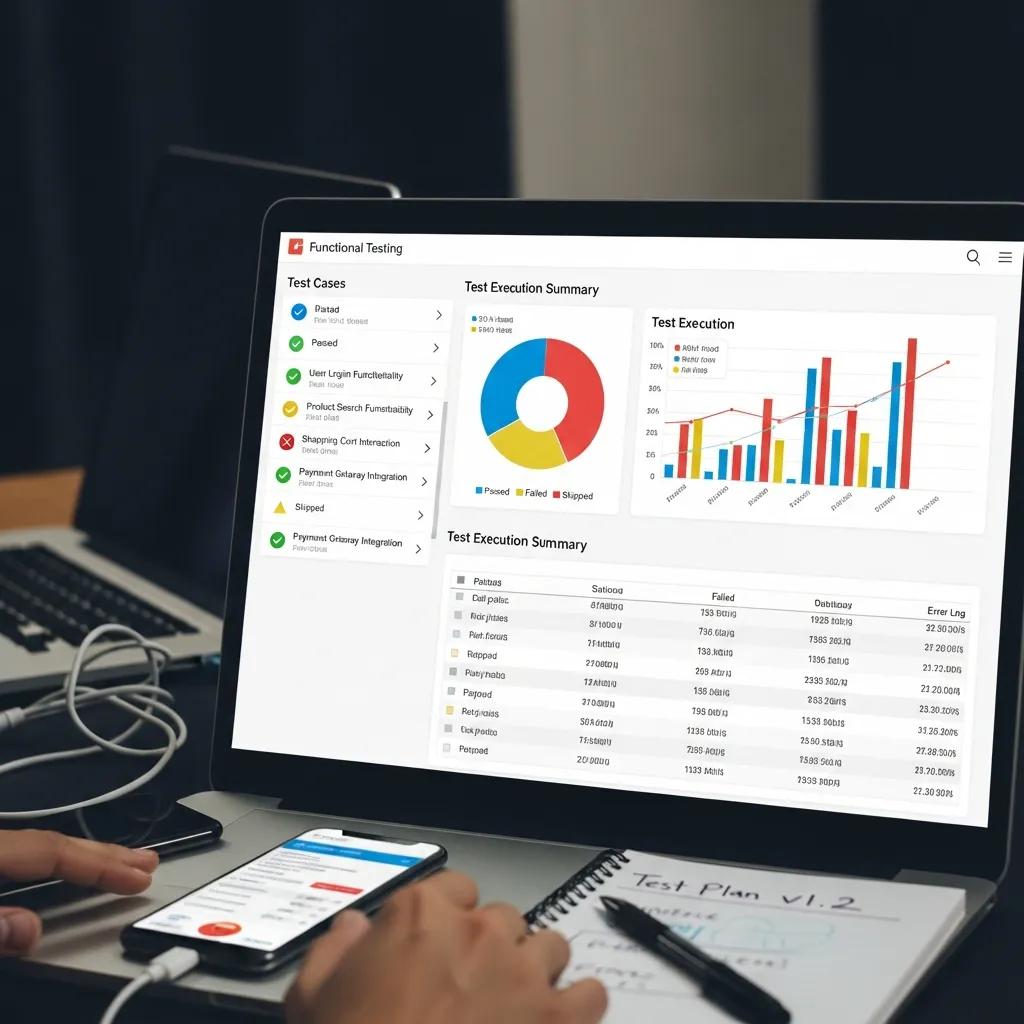
Functional testing rigorously verifies an application’s behavior against requirements by executing test cases that mirror user stories, business logic, and edge cases. It works by defining inputs, actions, and expected outcomes, then comparing actual results against these expectations. Successful tests confirm feature accuracy, while failures indicate gaps in implementation. Robust functional test suites should include unit and integration tests for backend logic, component-level tests for UI interactions, and end-to-end scenarios simulating complete user journeys. Teams should prioritize automating stable, high-impact functional tests—such as account creation and payment processing—reserving manual exploratory testing for ambiguous or rapidly evolving functionality. Clearly documenting test cases, ensuring traceability to requirements, and defining acceptance criteria are key to establishing functional testing as a reliable quality gate for releases and continuous delivery pipelines.
What is the Role of Performance, Security, and Usability Testing?
Performance, security, and usability testing each safeguard distinct quality attributes, collectively ensuring applications are fast, secure, and delightful to use. Performance testing quantifies response times, throughput, latency, and resource consumption under various load conditions, informing Service Level Objectives (SLOs) and capacity planning for scale. Security testing employs vulnerability scans, penetration testing, and checks aligned with standards like OWASP to identify authentication flaws, cross-site scripting (XSS), and SQL injection risks that could lead to data breaches or service disruptions. Usability testing observes real users performing tasks to measure task completion rates, error frequencies, and satisfaction levels, guiding UI and accessibility improvements. Together, these testing types influence release decisions: performance benchmarks dictate readiness for deployment under load, security findings necessitate remediation plans before public release, and usability insights help prioritize UX enhancements to reduce user churn and support costs.
| Testing Type | Primary Goal | When to Use |
|---|---|---|
| Functional Testing | Verify correctness of features and business logic | During development, regression checks before release, CI runs |
| Performance Testing | Ensure responsiveness and performance under load | Before major releases, after critical performance changes |
| Security Testing | Discover vulnerabilities and strengthen defenses | Regular cycles, before public release, after infrastructure updates |
This mapping helps teams select test types based on release goals and timelines, guiding investments in automation and tooling.
What Tools and Frameworks are Essential for Automated Web Testing?
Automation tools span browser-driven frameworks, headless browsers, cross-browser/cloud device providers, API testing tools, and CI/CD orchestration platforms. The optimal mix depends on test type, team expertise, and project scale. Key open-source frameworks include Selenium for broad browser automation compatibility, Playwright for modern cross-browser automation with robust element handling and parallelization, and Cypress for developer-friendly end-to-end (E2E) testing with fast feedback. Supporting tools like API testers and device farms address specific needs: API tests verify backend contracts, and cloud device platforms facilitate extensive compatibility checks at scale. When integrating automation, consider CI integration points, parallelization capabilities, reporting mechanisms, and maintenance overhead. CI pipelines should execute smoke and critical tests on every commit, while more comprehensive suites can run nightly or on release branches to balance feedback speed with test coverage.
An introduction to our comparison table and how to interpret it:
| Tool | Best Suited For | Strengths |
|---|---|---|
| Selenium | Broad cross-browser E2E automation | Extensive language support and vast ecosystem |
| Playwright | Modern cross-browser automation and parallel testing | Fast execution, built-in isolation, strong locator strategies |
| Cypress | Developer-centric E2E testing with time-travel debugging | Simplified setup and fast local feedback, ideal for React/Vue applications |
| BrowserStack | Cross-browser and cloud device testing | Access to real device/browser matrix, scalable parallel testing |
| Postman | API testing and contract validation | Comprehensive API workflows and automated script testing capabilities |
This overview helps teams align each tool with specific roles in the automation strategy and informs their approach to CI/CD integration.
How Do Selenium, Playwright, and Cypress Support Automation?
Selenium, Playwright, and Cypress offer distinct API models and present unique tradeoffs that impact maintainability and execution speed. Selenium provides a language-agnostic WebDriver API compatible with numerous browsers, making it suitable when cross-language support and integration with legacy systems are priorities. However, Selenium tests can require more setup to manage potential flakiness. Playwright offers a modern API that automates Chromium, Firefox, and WebKit, including robust auto-wait, isolation, and network interception capabilities that enhance the efficiency of parallel E2E suites. Cypress prioritizes the developer experience for frontend teams, offering time-travel debugging and an integrated test runner. While traditionally limited to a single browser architecture, it now supports Chromium and Firefox-based browsers, with experimental WebKit support. When choosing, consider your team’s preferred programming languages, parallel execution requirements, features for reducing test flakiness, and compatibility with CI/CD pipelines to determine the best fit for your project constraints.
For React applications, Playwright emerges as a powerful solution for end-to-end testing, adeptly handling unique challenges with its robust cross-browser compatibility and parallel testing features.
Playwright for E2E Testing: Elevating React Application Quality
Automated end-to-end (E2E) testing is now indispensable for modern online applications, ensuring reliability, performance, and a seamless user experience. React applications, despite their dynamic and component-driven architecture, present unique challenges for manual testing, including complex state management, asynchronous operations, and UI responsiveness. Playwright, a powerful E2E testing tool, addresses these challenges with its robust cross-browser compatibility, headless execution, and parallel testing capabilities. Its ability to automate interactions across diverse browser environments makes it invaluable for validating user workflows, ensuring component compatibility, and identifying performance bottlenecks.
Automated End-to-End Testing with Playwright for React Applications, 2024
What are the Benefits of AI-Powered and Low-Code Testing Platforms?
AI-powered testing platforms and low-code solutions significantly reduce maintenance overhead and broaden the pool of test creators. They achieve this by automating test generation, providing self-healing locators, and intelligently prioritizing flaky or high-risk tests. AI features can generate test cases from user flows or logs, detect anomalies in test runs, and suggest fixes for broken selectors, thereby accelerating test coverage while minimizing manual upkeep. Low-code platforms empower non-developers to build and execute automated scripts using visual interfaces and pre-built components, fostering better collaboration across QA, product, and support teams. Potential tradeoffs include reduced transparency into generated logic, the possibility of false positives, and the need to validate AI-suggested checks. Teams are advised to combine AI tools with human oversight and version control to maintain confidence in their automated suites.
Further exploration into the comparative strengths and weaknesses of low-code, no-code, and traditional automation tools offers valuable guidance for selecting the most appropriate approach.
No-Code, Low-Code, Traditional Automation: A Comparative Analysis
Automated software testing tools are foundational to ensuring the reliability, efficiency, and overall quality of software operations. As software development lifecycles grow increasingly complex, the demand for effective automated testing has significantly escalated. This article presents a comparative analysis of low-code, no-code, and traditional automation testing tools, evaluating them against key criteria such as setup, customer support, usability, and integration capabilities. It further discusses the advantages and limitations of each tool category, providing a comprehensive guide for testers to select the most suitable automation technique based on their skill level and project requirements.
Automated Software Testing: Comparing No-Code, Low-Code, and Traditional Approaches (2025), S. Arif, 2025
For teams that meticulously document their tool knowledge and share configuration examples, collaborative knowledge hubs can be invaluable for maintaining up-to-date guides. Wiki.com can serve as a central resource for documenting tool-specific pages, community insights, and CI configuration examples for these automation frameworks, enabling teams to find reproducible setups and contribute troubleshooting tips.
What are the Best Practices for Effective Web Application Testing?
Effective web application testing begins with a clear plan that prioritizes risks, defines measurable acceptance criteria, and integrates automated checks into CI/CD pipelines for rapid, reliable feedback. Key best practices include categorizing tests by speed and value (unit, integration, E2E), running critical path smoke tests on every commit, scheduling broader test suites nightly or on demand, and actively monitoring test flakiness and coverage metrics to prevent brittle automation. Security and performance checks should be embedded into pipelines where feasible, ensuring early detection of vulnerabilities and regressions. Below is a practical checklist teams can adopt to operationalize robust testing.
Quick Best Practices Checklist:
- Define Test Scope and Acceptance Criteria: Map features to test cases with unambiguous pass/fail conditions.
- Prioritize Automation Based on ROI: Automate stable, high-impact tests and reserve exploratory testing for manual execution.
- Integrate Tests into CI/CD: Execute smoke tests on commits, full suites nightly, and performance/security scans pre-release.
- Monitor and Manage Test Flakiness: Track flaky tests, isolate unstable cases, and systematically identify root causes of intermittent failures.
- Leverage Real Devices and Cross-Browser Clouds: Validate compatibility across a representative matrix of devices and browsers before deployment.
These practices form the operational core of continuous quality assurance, enabling teams to maintain high quality while increasing deployment velocity.
| Practice Area | Attribute | Recommended Action |
|---|---|---|
| Test Planning | Prioritization | Map tests by risk and frequency; automate high-value cases first |
| Automation Strategy | Execution Frequency | Run smoke tests on commit, regression tests nightly, full suite on release |
| Cross-Browser Testing | Device Selection | Use real devices for critical user flows and device farms for broad coverage |
Embedding these actions into daily workflows establishes repeatable quality gates that align testing efforts with business risks.
How to Develop a Robust Test Plan and Automation Strategy?
A robust test plan begins with stakeholder consensus on scope, acceptance criteria, and acceptable release risk levels, which then translates into prioritized test suites and execution schedules. Start by cataloging user journeys, APIs, and third-party integrations, then assess them based on business impact and likelihood of regression to prioritize automation. Select tools that align with your team’s skills and CI/CD constraints, and establish clear ownership and maintenance protocols for test artifacts. Define distinct execution frequencies: fast unit tests on every commit, integration and critical E2E tests on merge requests, and comprehensive regression and performance tests in nightly pipelines. Document the plan in a shared knowledge base to facilitate team iteration on coverage and adaptation to evolving requirements, thereby enhancing traceability and reducing knowledge silos.
What are Key Steps for Cross-Browser and Security Testing?
Effective cross-browser and security testing at scale requires thoughtful matrices and automated checks. Begin by identifying priority browsers and devices based on user analytics and target market demographics. Create a compatibility matrix detailing supported browser versions, operating systems, and device types, then automate tests across this matrix using cloud device farms for broad coverage, reserving real-device testing for critical user flows. For security, integrate static analysis and dependency scanning into your CI process, and conduct dynamic application security tests and OWASP Top 10 checks pre-release. Triage findings by severity and require remediation or compensating controls for high-risk issues. Consolidate results, link them to issue tracking tickets, and verify fixes through retesting, ensuring security and compatibility checks serve as robust gates in your deployment pipeline.
Wiki.com can serve as a collaborative platform for maintaining evolving cross-browser matrices, security checklists, and versioned test plans, helping organizations keep their testing documentation current and accessible to distributed teams.
How are Emerging Trends Shaping the Future of Web Testing in 2025?
Emerging trends through 2025 are heavily influenced by AI-powered test automation, shift-left practices, QAOps integration, and the rise of low-code solutions, fundamentally reshaping how teams approach test coverage and maintenance. AI and machine learning accelerate test generation, flakiness detection, and anomaly prediction, enabling test suites to proactively adapt to UI changes and runtime behaviors. Shift-left and QAOps methodologies move testing earlier into the development lifecycle, making defect remediation cheaper. Hyper-automation pipelines integrate multiple automated checks—functional, security, and performance—into unified release gates. The market shift towards low-code platforms democratizes test creation for non-developers, potentially increasing coverage but requiring governance to maintain quality. Collectively, these trends aim to reduce manual effort and increase the velocity of reliable releases, provided teams apply rigorous validation and feedback loops.
Key Trends and Their Implications:
- AI-powered test generation and self-healing capabilities reduce maintenance costs but require careful validation.
- Shift-left practices lower defect costs by embedding testing earlier in the development process.
- QAOps integrates testing with deployment workflows, fostering continuous observability.
- Low-code tools broaden participation in test creation but require governance to ensure overall test quality.
This convergence suggests that successful teams will blend human expertise with automated intelligence to maintain resilient quality assurance regimes and accelerate delivery cycles.
What is the Impact of AI and Machine Learning on Test Automation?
AI and machine learning introduce new capabilities into test automation, including intelligent test case generation based on user analytics, predictive flakiness detection, and automated root cause suggestions for failures. For instance, ML models can analyze historical test results and prioritize tests most likely to uncover regressions, thereby optimizing execution time in CI systems. Self-healing locators can adapt to UI changes, reducing manual maintenance burden, while anomaly detection identifies runtime performance regressions that static thresholds might miss. These advancements enhance test coverage and reduce maintenance effort. However, organizations must validate AI-generated outcomes, guard against over-reliance, and retain human oversight to interpret complex failures and fine-tune models for specific project contexts.
How Do Shift-Left, QAOps, and Hyper-Automation Enhance Testing?
The shift-left approach moves testing earlier into the development process, embedding unit, integration, and contract tests into developer workflows, which fosters faster feedback and reduces late-stage defects. QAOps extends this by bridging QA with operations and development through shared pipelines, observability tools, and incident feedback mechanisms, ensuring testing aligns with production realities. Hyper-automation orchestrates a series of automated checks—including unit tests, API validations, security scans, and performance smoke tests—into unified pipelines that provide multi-dimensional quality gates before release. Adopting these methodologies reduces defect remediation costs, accelerates fix times, and boosts confidence in deployments, though success requires cross-functional collaboration, tooling alignment, and investment in testing infrastructure.
The shift-left testing principle, advocating for earlier integration of testing into the development lifecycle, is a critical strategy for agile teams aiming to detect bugs more efficiently.
Shift-Left Testing: Ensuring Early Bug Detection in Agile Development
Shift-left testing refers to the practice of testing software earlier in the development cycle than traditionally done, moving testing to the left side of the delivery pipeline, as opposed to the conventional approach of testing later in the cycle. Adopting a shift-left strategy suggests that software development teams can identify bugs faster if they test their code as they write it, rather than waiting for project completion based on vague criteria. Shift-left testing encourages developers to write test cases even before the code is ready for formal testing. This agile software development strategy emphasizes implementing test cases early in the project lifecycle rather than at its end.
Implementing Shift-Left Testing Paradigm for Software Quality Based on Fuzzy Logic, R. Tatikonda, 2023
How Can Real-World Use Cases Enhance Web Testing Understanding?
Use cases effectively translate abstract testing principles into tangible outcomes, demonstrating how testing investments have led to measurable improvements in reliability, performance, or security. Detailed descriptions—including baseline metrics, specific interventions applied (such as tooling, strategy, or process changes), and post-implementation results—help teams assess ROI and replicate successful approaches. Sharing reproducible artifacts—such as test suites, configuration snippets, and pipeline definitions—further accelerates adoption by providing adaptable templates. Community-curated repositories of use cases and artifacts foster continuous learning and reduce duplicated effort among teams addressing similar challenges.
Below is a brief table illustrating how use cases map challenges to interventions and their measured outcomes:
| Case Focus | Intervention | Measured Outcome |
|---|---|---|
| AI Test Maintenance | Self-healing locators + ML prioritization | 40% reduction in manual fixes |
| Performance Tuning | Load testing + Core Web Vitals optimization | 30% faster average page load time |
| Security Hardening | OWASP-based scanning + CI gating | 60% reduction in high-risk findings |
These examples offer a pattern language for teams: identify a problem, apply targeted testing and tooling, measure results, and publish artifacts to facilitate reproduction.
What are Examples of Successful AI-Powered Web Testing Implementations?
Practical AI-powered implementations often focus on reducing test flakiness and optimizing test selection. One common approach uses historical test results and code change metadata to rank tests by their likelihood of failure, enabling targeted nightly runs that surface potential regressions faster. Another application involves training models to detect anomalous UI rendering or runtime variations across test runs, triggering automated reruns and root cause suggestions that accelerate troubleshooting. Teams that combine AI-generated test suggestions with human review typically achieve the best outcomes: AI improves coverage and flags potential issues, while engineers validate and refine test logic to ensure suites remain meaningful. Publishing these use cases with reproducible artifacts helps other teams adapt the approach to their specific tech stacks and constraints.
Wiki.com can function as a repository for community-contributed use cases and reproducible test artifacts, enabling teams to find implementation details, configuration examples, and lessons learned from peer experiences without needing to reinvent common patterns.
How Have Companies Improved Performance and Security Through Testing?
Companies enhance performance by applying load testing and Core Web Vitals analysis to prioritize frontend and backend optimizations that directly impact user experience. Typical interventions include reducing render-blocking resources, optimizing third-party scripts, and implementing caching and CDN strategies, often validated with before-and-after metrics showing reductions in Time to Interactive or Largest Contentful Paint. Security improvements stem from triaging automated OWASP-related findings, remediating dependency vulnerabilities, and conducting re-scans with dynamic scans post-fix to confirm closure. By tracking specific KPIs—such as page load percentiles and counts of medium/high vulnerabilities—organizations can demonstrate the ROI of testing and continuously refine their defense strategies based on measured outcomes.
These case examples illustrate a recurring cycle: measure a baseline, apply targeted tests and fixes, then verify improvements using the same testing channels to ensure changes are effective and sustainable.
Frequently Asked Questions
What is the significance of usability testing in web applications?
Usability testing is vital for ensuring that web applications provide a positive user experience. It involves observing real users interacting with the application to identify pain points, areas of confusion, and opportunities for improvement. By measuring task completion rates, error frequencies, and user satisfaction, teams can gather critical data to inform design decisions. This type of testing significantly enhances the overall usability of the application, leading to increased user engagement, reduced churn, and ultimately, higher conversion rates. Prioritizing usability testing can have a profound impact on the success of a web application.
How can teams effectively manage test flakiness?
Effectively managing test flakiness is crucial for maintaining the reliability of automated testing suites. Teams can address this by monitoring flaky tests, identifying patterns in their failures, and isolating unstable tests until they are stabilized. Implementing robust test case design, including clear setup and teardown procedures, can also help reduce flakiness. Additionally, teams should regularly review and refactor tests to ensure they remain relevant and efficient. By prioritizing the remediation of flaky tests, teams can enhance confidence in test results and streamline the development process.
What role does continuous integration play in web testing?
Continuous integration (CI) plays a pivotal role in web testing by automating the integration of code changes into a shared repository. This practice enables teams to run automated tests on every commit, ensuring that new code does not introduce defects. CI facilitates rapid feedback loops, allowing developers to identify and address issues early in the development cycle. By embedding testing into CI pipelines, teams can maintain high quality standards, minimize the risk of regressions, and accelerate the release process, ultimately leading to more reliable web applications.
How can organizations ensure security during web testing?
Organizations can ensure security throughout the web testing process by integrating security testing practices into their development lifecycle. This includes conducting regular vulnerability assessments, static code analysis, and dynamic application security testing (DAST) to identify potential security flaws. Leveraging frameworks like OWASP can guide teams in prioritizing security checks. Additionally, organizations should foster a culture of security awareness among developers and testers, encouraging them to consider security implications during design and testing phases. By embedding security into the testing process, organizations can effectively mitigate risks and protect user data.
What are the benefits of using cloud-based testing tools?
Cloud-based testing tools offer numerous benefits, including scalability, flexibility, and cost-effectiveness. These tools enable teams to execute tests across a wide range of devices and browsers without the need for extensive on-premise infrastructure. This accessibility accelerates testing cycles and expands test coverage, as teams can easily provision environments for various configurations. Moreover, cloud solutions often provide real-time collaboration features, allowing distributed teams to work together seamlessly. By leveraging cloud-based testing tools, organizations can enhance their testing capabilities while reducing the overhead associated with maintaining physical test environments.
How can teams measure the effectiveness of their testing strategies?
Teams can measure the effectiveness of their testing strategies by tracking key performance indicators (KPIs) such as test coverage, defect density, and pass rates. Analyzing these metrics helps teams identify areas for improvement and assess the impact of their testing efforts on overall software quality. Regular retrospectives also provide valuable insights into the testing process, allowing teams to refine their strategies based on lessons learned. By continuously monitoring and evaluating testing effectiveness, organizations can ensure their testing practices align with business objectives and deliver tangible value.
Conclusion
Implementing comprehensive web testing strategies significantly enhances application quality, ensuring thorough validation of functionality, performance, and security. By leveraging the right tools and methodologies, teams can optimize their testing processes, mitigate risks, and improve user satisfaction. Embrace these best practices to elevate your web application testing effectiveness and drive continuous improvement. Discover more insights and resources to optimize your testing approach today.